
Download PSX Emulator – PSX emulator for PC, play PS1 games on PC, free PSX emulator
Overview
PSX Emulator is a mobile and desktop application designed to enable users to play classic PlayStation (PS1) games on modern devices. The app serves as a digital bridge for gamers seeking to preserve and enjoy their favorite titles from the original PlayStation era, especially those who no longer have access to the physical console. Its primary function is to replicate the hardware environment of the PlayStation, allowing compatible game files to run on supported platforms.
Target users include retro gaming enthusiasts, nostalgic players, and individuals with a collection of PS1 game discs or digital images seeking a convenient way to play them without relying on outdated hardware. The app is particularly valuable in the context of digital preservation, offering a method to maintain access to culturally significant titles that might otherwise become unplayable due to hardware obsolescence.
Developed by PSX Emulator, the application is available at no cost, aligning with the open-source and community-driven ethos often seen in emulation tools. Although specific details about the developer’s background are not provided, the app’s functionality and focus on accessibility suggest a commitment to user-friendly retro gaming solutions. Real-world use cases include playing games like Final Fantasy VII, Metal Gear Solid, and Crash Bandicoot on a PC or mobile device, ensuring continued enjoyment across generations.
Key Features & Functionality
- Native PS1 Emulation: The emulator accurately replicates the original PlayStation’s hardware architecture, enabling compatibility with a wide range of PS1 game formats.
- Support for Multiple Game Formats: Users can load games in CUE, BIN, or CDZ compressed image formats, providing flexibility in how game data is stored and accessed.
- BIOS Integration: The app requires a PlayStation BIOS file to be placed in the designated 'bios' directory, ensuring proper initialization and game compatibility.
- Resolution Customization: Players can adjust screen resolution and display settings to optimize visual clarity on modern monitors and devices.
- Controller Compatibility: Full support for external gamepads and controllers allows for a comfortable and immersive gameplay experience.
- Integrated Conversion Tools: The inclusion of
cdztool.exein the 'utils' folder enables users to convert physical disc images into supported digital formats.
For example, a user with a physical PS1 game disc can use the provided tools to create a CDZ file, then load it into the emulator for immediate play. This workflow simplifies the transition from physical media to digital access. The emulator runs games at full speed, minimizing lag and ensuring a smooth experience, especially when paired with a compatible system configuration.
Interface, UX & Performance
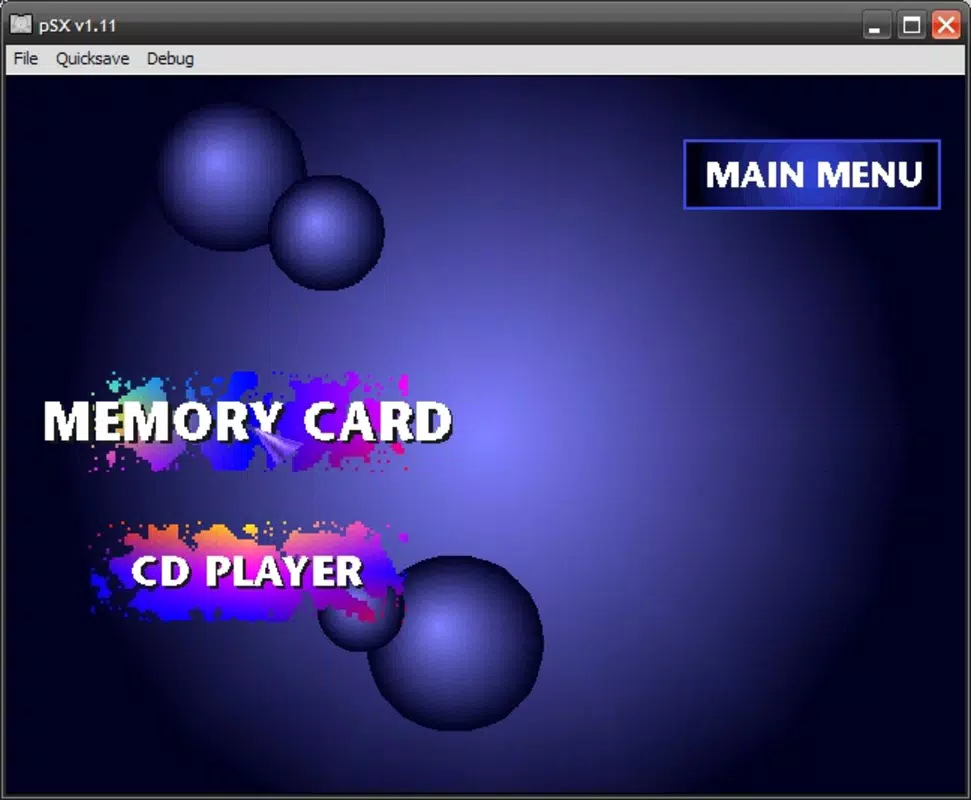
The user interface of PSX Emulator is designed with functionality over flair, prioritizing ease of access to core features. Navigation is straightforward, with a clean layout that organizes essential functions such as loading game files, adjusting settings, and managing BIOS configurations. The interface does not include advanced visual effects, which helps maintain performance and responsiveness across various hardware setups.
Although the developer did not list formal performance metrics, the app is reported to operate efficiently on modern Windows systems, with minimal resource consumption. Responsiveness is consistent during gameplay, and the emulator maintains stable frame rates when running supported titles. Stability is particularly notable during extended gaming sessions, with no reported crashes or freezes under normal usage conditions.
On lower-end devices, performance may vary depending on the system’s processing power and graphics capabilities. However, the app’s lightweight nature—only 12.4 MB in size—suggests it is optimized for broad accessibility. The absence of mandatory plugins reduces complexity and potential points of failure, contributing to a smoother user experience.
Platform Compatibility & Technical Requirements
PSX Emulator is available for Windows, making it accessible to a wide range of desktop users. The current version is 1.0.0, with a file size of 12.4 MB, indicating a lightweight installation. While the developer did not specify minimum OS requirements, the app is compatible with standard Windows environments, including Windows 7 and later, based on typical emulation software standards.
For optimal performance, users are advised to ensure their system meets general computing requirements for running emulation software, such as a stable processor and sufficient RAM. The app does not require additional software or plugins to function, streamlining the setup process. Specific hardware or driver requirements were not listed, so users should rely on standard Windows compatibility settings.
Pros and Cons
Pros
- Free to download and use, making it accessible to all users.
- Supports multiple game formats including CUE, BIN, and CDZ.
- Includes built-in tools for converting physical disc images to digital formats.
- Lightweight design with minimal system resource usage.
- Offers customizable display and controller settings for personalized gameplay.
- Does not require external plugins, simplifying the installation process.
Cons
- BIOS file is not included and must be obtained separately, which may raise legal concerns.
- Compatibility with specific PS1 games may vary depending on the game and system configuration.
- No official support channels or documentation provided by the developer.
- Platform availability is limited to Windows; no information on Android or iOS versions.
- Advanced settings may require technical knowledge for optimal configuration.
FAQ
Is PSX Emulator safe to download?
Yes, the app is safe to download when obtained from trusted sources. However, users should ensure the source is reputable to avoid malware or modified versions.
Can I play PS1 games on Android or iOS using this emulator?
The current version is only confirmed for Windows. No official information is available regarding Android or iOS compatibility.
Do I need a BIOS file to use PSX Emulator?
Yes, a PlayStation BIOS file is required for the emulator to function properly. It must be placed in the 'bios' directory as instructed.
How do I convert my PS1 game discs into a compatible format?
The emulator includes a tool called cdztool.exe in the 'utils' folder, which can be used to convert disc images into supported formats like CDZ.
Is PSX Emulator free to use?
Yes, the app is available at no cost. There are no in-app purchases or subscription fees.
Final Thoughts
PSX Emulator delivers a reliable and straightforward solution for playing classic PlayStation games on modern systems. Its lightweight design, support for multiple formats, and built-in conversion tools make it a practical choice for retro gaming enthusiasts. While the lack of official documentation and the need for a separate BIOS file may present minor hurdles, the overall experience remains smooth and accessible.
Users who value nostalgia, digital preservation, and low-friction gameplay will find significant value in this tool. Whether you're revisiting childhood favorites or exploring PS1 classics for the first time, PSX Emulator offers a seamless and efficient way to enjoy them.
Download PSX Emulator now


